Your Deep Work Ecosystem · Social media blocker for Android
How much of your life does the feed get?
Tap your hours on social media a day. Be honest: your phone's screen time already knows.
Your 16 waking hours. The bright part is what the feed takes.
What those days turn into
Fewer feeds leaves room for the four things scrolling quietly takes from you.

Deep work
Hours of real focus on the work that moves your life forward.
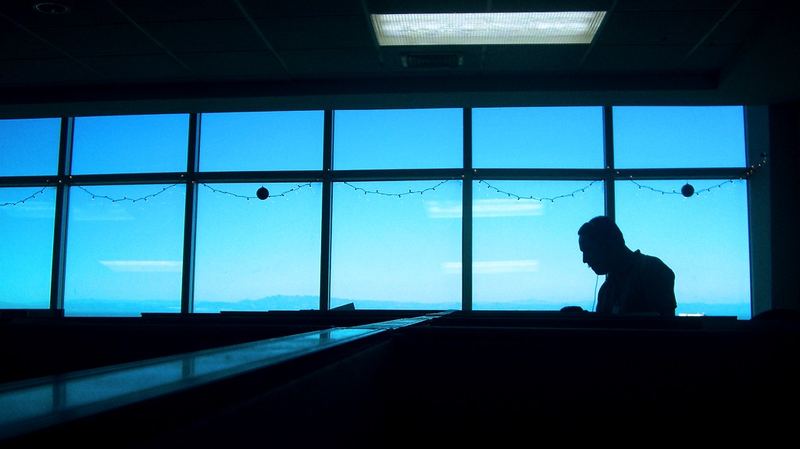
A clearer mind
Less noise, better memory, ideas that have room to grow.

A healthier body
The walk, the gym, the early night you kept postponing.
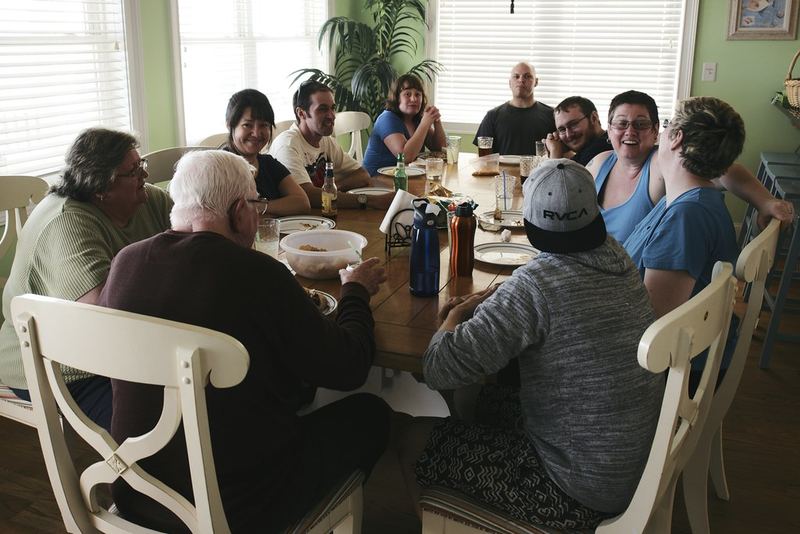
A fuller life
Full attention for family and friends, not half of it.
Photos: nenadstojkovicart, Scarleth Marie, Mr.Molecatcher, zenjazzygeek on Flickr (CC BY 2.0). Portraits: Wikimedia Commons (public domain; J.K. Rowling by Daniel Ogren, CC BY 2.0).
Why willpower fails
Motivation fades by Tuesday. A system doesn't.
Feeds are built by thousands of engineers to keep you scrolling. Fighting that with willpower every hour is a losing game.
The people who seem to have the most self-control mostly avoid temptation in the first place. They change their surroundings, so there is nothing to resist. Umer OS is that change, built into your phone.
Great work came from undistracted minds
Long stretches of quiet thinking are behind some of the biggest ideas in history.

Isaac Newton
Sent home by the plague in 1665–66, he worked alone and laid the groundwork for calculus, optics and gravity.
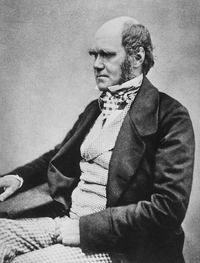
Charles Darwin
Kept a strict daily routine of quiet work and long thinking walks while writing On the Origin of Species.

J.K. Rowling
Checked into a hotel room to escape distractions and finish the last Harry Potter book.

Albert Einstein
A quiet patent-office job left room to think. In 1905 he published four papers that changed physics.

Marie Curie
Years of focused work in a cold shed lab. The first person to win two Nobel Prizes.

Maya Angelou
Rented a plain hotel room with nothing on the walls, just to write without distraction.
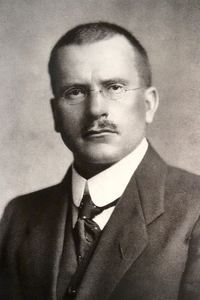
Carl Jung
Built a stone tower by a lake, without electricity, to think and write in peace.

Beethoven
Took long daily walks with a notebook. Many of his ideas began there.
Cal Newport
Computer science professor who wrote the book Deep Work. He has never had social media.
You don't need a plague or a hotel room. You need a phone that stops pulling at you. Umer OS gets you there.
What your phone looks like
The real Umer OS screens: a calm home, a firm block, and tools that keep you on track.
The honest trade-off
What you get
- Hours back every day
- Longer focus and better memory
- A calmer mind, fewer urges to check
- WhatsApp, calls, maps and banking still work
- Works on your phone and your Windows PC
What it costs you
- No "just a quick look" at Instagram or YouTube
- The first few days feel boring (that's the point)
- Android only on phones, no iPhone yet
- About 5 minutes to set up permissions
- Turning it off takes your password, a 24-hour wait or a $15 fee
The science, in plain words
Just having your phone on the desk, even face down and silent, lowered people's brainpower in tests. In another room, they did better.
Ward et al., 2017 · ~800 peoplePeople paid to quit Facebook for 4 weeks gained about an hour a day and felt happier.
Allcott et al., 2020 · 2,743 peopleWhen people were interrupted, they rushed to catch up, and felt more stress, frustration and time pressure.
Mark, Gudith & Klocke, 2008More studies
- Hunt et al., 2018: limiting social media to 30 minutes a day lowered loneliness and depression
- Chiossi et al., 2023: short-video feeds hurt remembering what you planned to do
- Duckworth, Gendler & Gross, 2016: changing your situation beats resisting temptation
- Wood & Neal, 2007: habits are triggered by your surroundings, so change the surroundings
- Gollwitzer, 1999: clear if-then plans help people follow through
Early price
Cheaper than one hour of your attention a day.
The complete Deep Work Ecosystem for your phone and PC. Normal price $100 a year, now $29.
One plan covers your phone and your PC. On Android you can also buy inside the app.
Umer OS for Windows The same blocks in every browser, and games closed.Download →Read before you scroll
Short, research-backed guides from the Umer OS blog.
How to turn your Android into a dumb phone
Keep WhatsApp, maps and banking, lose the feeds.
How to stop scrolling Instagram
Five research-backed ways that actually work.
What is brain rot, and how to fix it
What short videos do to attention, and six ways to undo it.
Social media addiction: 6 signs
A quick self-check and how to break the habit.
How to block YouTube Shorts on Android
Every option, and where each one falls short.
Questions people ask
Will WhatsApp, calls and maps still work?
Yes. Calls, SMS, WhatsApp, maps, ride apps, banking, email, documents and the camera all keep working. Only feeds, short videos, games, other browsers and adult sites are blocked.
Which apps does Umer OS block?
Instagram, TikTok, Facebook, Snapchat, YouTube, X, Reddit and 150+ other apps and websites, plus games and other browsers. A built-in safe browser lets you open normal websites with SafeSearch on.
What if I forget my password?
Tap "Forgot password?". Wait 24 hours for free and you can turn it off once, or pay a US$15 fee to turn it off straight away. The wait gives the urge time to pass.
Which phones does it work on?
Any phone with Android 8 or newer. There is no iPhone version yet.
Is there a free trial?
Yes. Every new phone gets 7 days free with everything included, and no card is needed.
Can I cancel?
Yes. Yearly plans renew each year until you cancel: in Google Play (Payments & subscriptions) if you bought in the app, or from the link in your receipt email if you bought on this website. Lifetime is a single payment.
Does Umer OS read my messages or track me?
No. What you do on your phone stays on it. We only keep your account record: your email, plan, country and a random device ID. Read the privacy policy for details.
Does it work on a PC too?
Yes. Umer OS for Windows blocks the same sites in every browser and closes game launchers. One plan covers your phone and your PC.
Take your days back.
Start with 7 days free. One plan covers your phone and your PC.